
Twitter/X Video Downloader
Download videos from Twitter/X posts easily and quickly
By using this service, you confirm that you have the right to download the content and accept our Terms of Service and Privacy Policy.
Download an X Video in Four Steps
Copy a public post link, paste it into the downloader, review the available options, and save the video to your device.
- Step 1
Find the Post and Copy Its Link
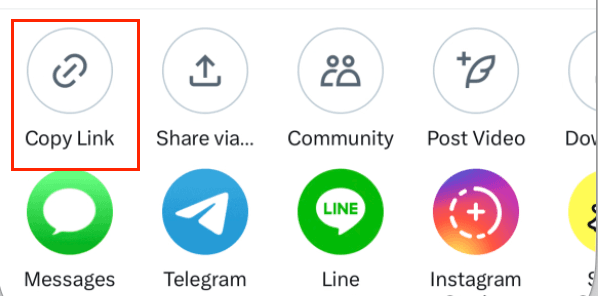
Open the public Twitter/X post containing the video you want. On a computer, copy the full link from the browser’s address bar; in the X app, select Share, then Copy link. Make sure you copy the link to the post, not the user’s profile.
Desktop browser 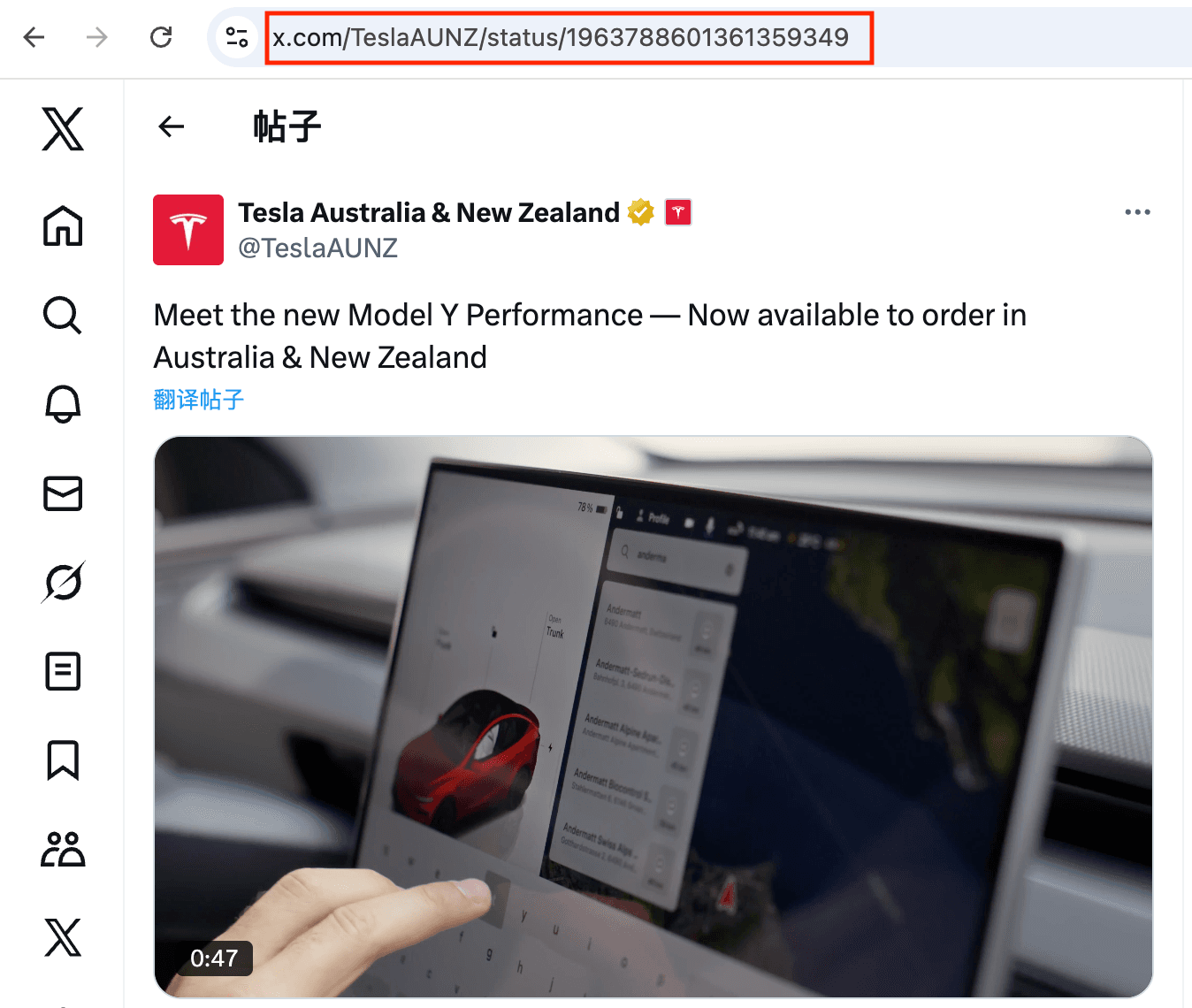
X mobile app 
- Step 2
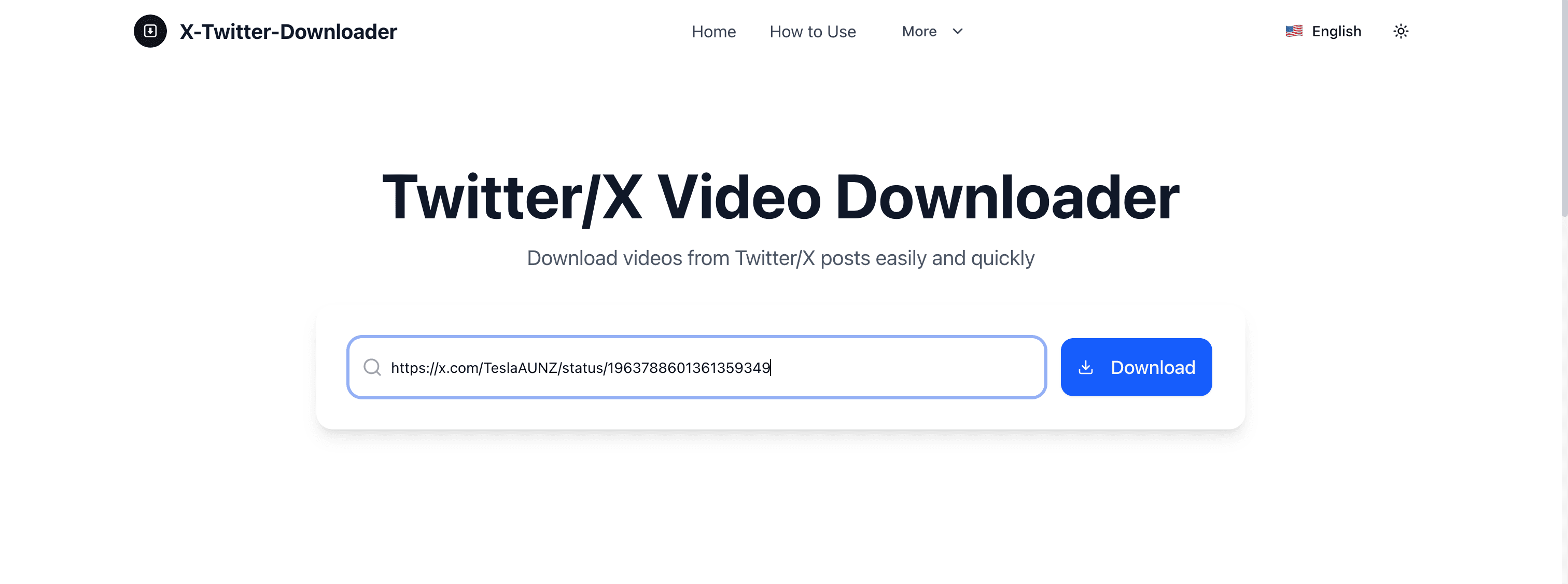
Paste the Complete Post URL
Return to the downloader, paste the copied link into the input field, and select Download. The tool will look for the video options currently available for that post, so wait for the results to appear. Paste only the complete link, without the post text or any other words.
- Step 3
Review the Available Video Options
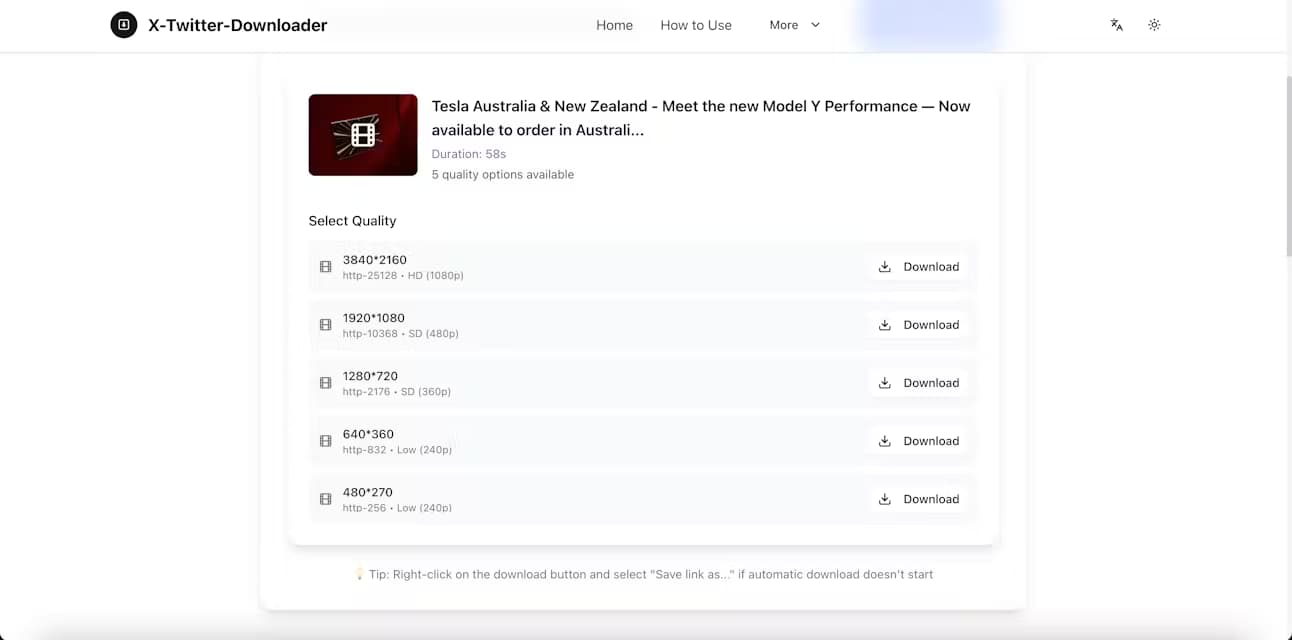
Review the qualities and formats in the results, then choose a version that suits your device and connection. Higher resolutions usually look sharper but may result in larger files. Available quality depends on the original video, so the options can differ from one post to another.
- Step 4
Save the Video to Your Device
Use the download button beside your chosen version to save the video to your device. If the browser opens the video first, use its save or download option. Once the download finishes, look for the file in your browser’s download history or your device’s configured download location.
Why Choose X-Twitter-Downloader?
A clear and convenient way to review the video options available for a public post.
Quick Link Processing
Paste a public Twitter or X post link to quickly retrieve its available video options. Our tool uses high-bandwidth servers and CDN support to process links efficiently. Processing time may vary with video length, available quality, server demand, and whether the original post remains publicly accessible.
Cross-Platform Support
Use this web-based tool on Windows, macOS, Android, or iOS to access available video options from your computer, tablet, or phone. It works in Chrome, Edge, Safari, and Firefox, with no additional software or browser plugins required.
Available Quality Options
Review available formats, resolutions, and quality labels in one place, then choose an MP4 option that suits your device and connection. Depending on the original video, options may include SD, HD, or 4K. Available quality is determined by the source video.
Regular Updates
We use Google Analytics to understand how visitors use the tool and identify opportunities to improve the experience. We regularly update our website and backend API to maintain compatibility as Twitter and X, video sources, and browsers change. Individual posts or formats may still be temporarily unavailable.
Is X-Twitter-Downloader Safe to Use?
Here’s what you need to provide, how your link is processed, and what to expect when downloading.
No Account or Password Needed
You can use the downloader without creating an account or signing in to X. Paste the public post link into the input box—there’s no need to provide your password, verification code, or account cookies.
How Your Link Is Processed
When you submit a link, we send it to our server and an external parsing service to find the available video formats. This processing happens outside your browser. The tool is intended for public posts and does not provide access to private accounts or restricted posts.
What Data Is Processed
Processing a request may involve the post URL, your IP address, browser information, and technical logs used to operate the service and diagnose errors. Google Analytics and advertising services may also use cookies or similar technologies. Our Privacy Policy explains what is processed, which services are involved, and your available choices.
Choosing a Download
After the link is processed, review the video options and use the download button beside the version you want. Depending on your browser and the media source, the file may download directly or open for you to save. Advertising links are separate from the tool’s download controls.
Frequently Asked Questions
How do I download a video from Twitter/X?
Simply paste the Twitter/X post URL in the search box and click Download. You'll be able to select the video quality you prefer.
Can I download X (Twitter) videos from private accounts?
No, you can't. Our X (Twitter) downloader cannot save videos from private accounts. Please respect the law—private media may be copyrighted or contain personal information.
Does the X (Twitter) downloader have any limits?
Availability can vary with the source post, the parsing service, and current service load. Please retry later if a request is temporarily unavailable.
Do I need to sign up to use the X (Twitter) downloader?
No sign-up is required. Paste a public X (Twitter) post URL to view the formats currently available for that post.
Is it free to use?
Yes, our Twitter/X video downloader is completely free to use.
Is it legal to download Twitter videos?
Downloading videos for personal offline viewing is usually tolerated, but using them in commercial projects or reposting without the creator's permission can violate the law and Twitter's Terms of Service. Check our Terms of Service page for full details.
What this site helps with, and where our guidance is stronger than a generic downloader page
X-Twitter-Downloader is not just a paste-and-download tool. We are building a practical knowledge base around public Twitter/X video links, download limitations, quality selection, browser-specific behavior, and responsible use. The goal is to explain what works, what does not, and why.
Supported use cases
Public tweet URLs from supported Twitter/X domains, common desktop and mobile workflows, and posts with one or more attached videos.
Known limitations
Protected tweets, deleted posts, unavailable media, regional network issues, browser download policies, and cases where users need to save the file manually.
Content standards
We document supported inputs and known limitations, and update guidance when the product behavior or published service information changes.